
Every receipt. On the right transaction. Automatically.
Snap a photo, forward an email, or drop a PDF. Kapytl reads the merchant, amount, and date, then attaches the receipt to the right transaction. Tax time stops being a treasure hunt.
Receipts that file themselves
Most agents lose deductions because the receipt never made it back to the right transaction. Kapytl turns every receipt into a tagged, linked, audit-ready record the moment it lands.
Snap, forward, or drop
Any phone, any inbox, any device. Capture a receipt the way that fits the moment. Kapytl handles every format without setup.
Get started freeRead by AI, not by you
Kapytl pulls the merchant, amount, date, and category from every receipt the second it arrives. No typing, no copy paste, no rules to maintain.
Get started freeLinked to the right transaction
Receipts auto-match to the matching bank transaction so your books are deduction-ready and your CPA has the paper trail.
Get started freeWhat Kapytl pulls from every receipt
AI reads each receipt as it lands and turns it into a clean, taxable record.
Three ways in. One clean library.
However the receipt arrives, Kapytl reads it, attaches it, and gets out of your way.
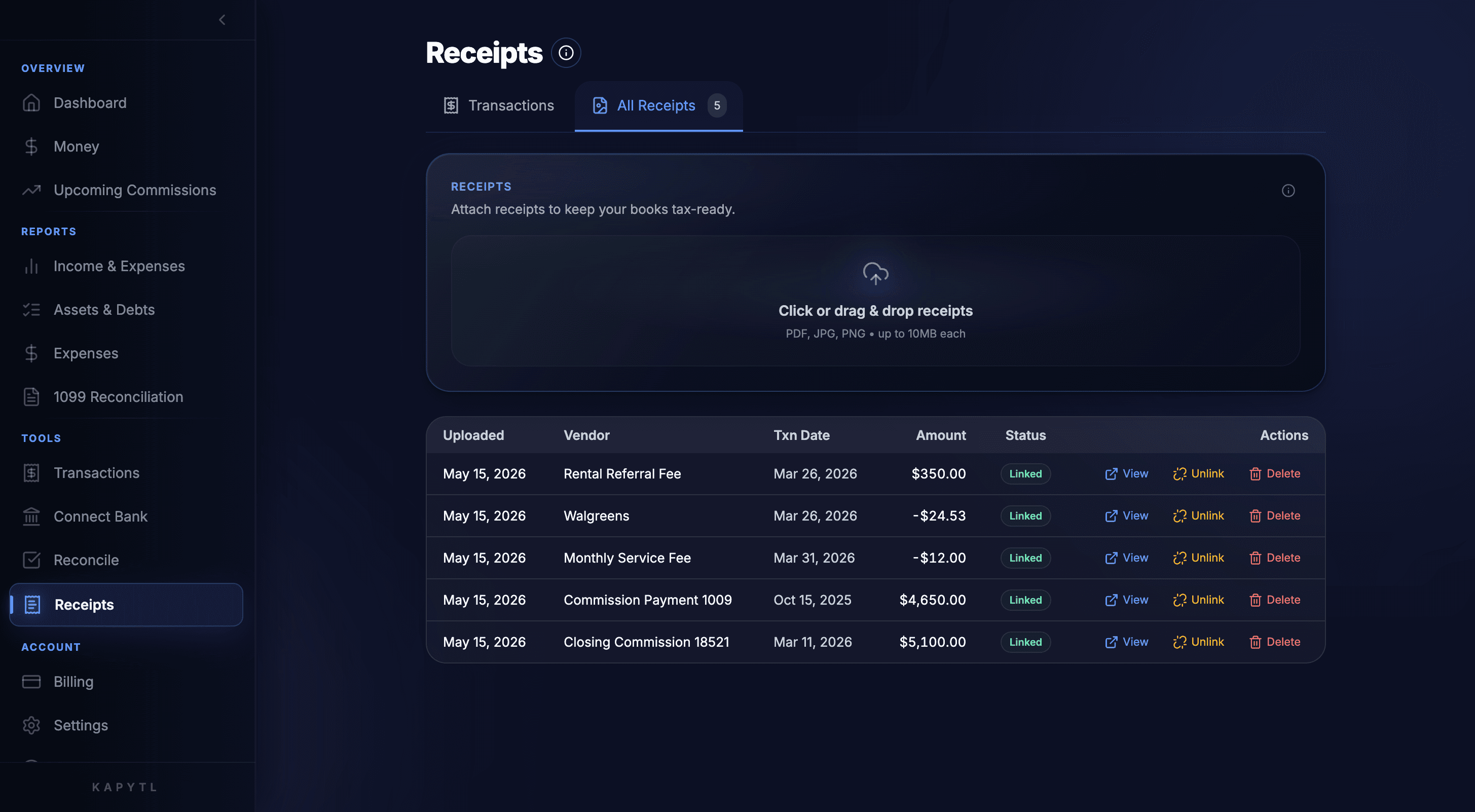
Drop, snap, or forward
Drag a PDF onto your dashboard, snap a photo from your phone, or forward an email. Kapytl ingests it in seconds and starts reading.
Auto-linked to your transactions
Each receipt is matched to the right transaction so your books stay tax-ready. Attached, linked, and visible in one tap.
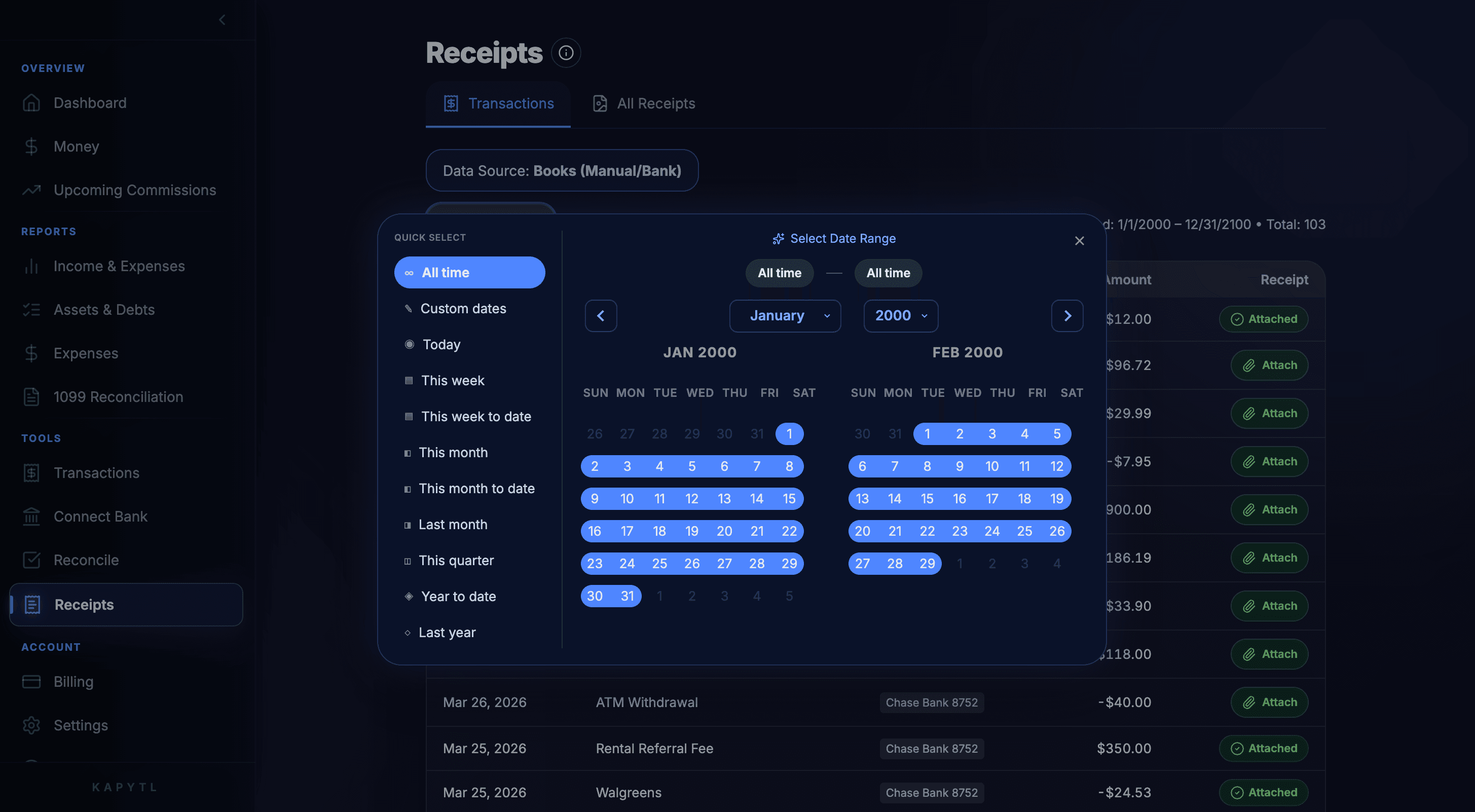
Filter by any window
Year to date, last quarter, custom dates. Pull the exact set of receipts you need for a CPA review or an audit in seconds.
Email forwarding made simple
Every Kapytl account gets a dedicated receipt-forwarding address. CC it on vendor confirmations and Kapytl files them for you.
Receipts find their transaction. Automatically.
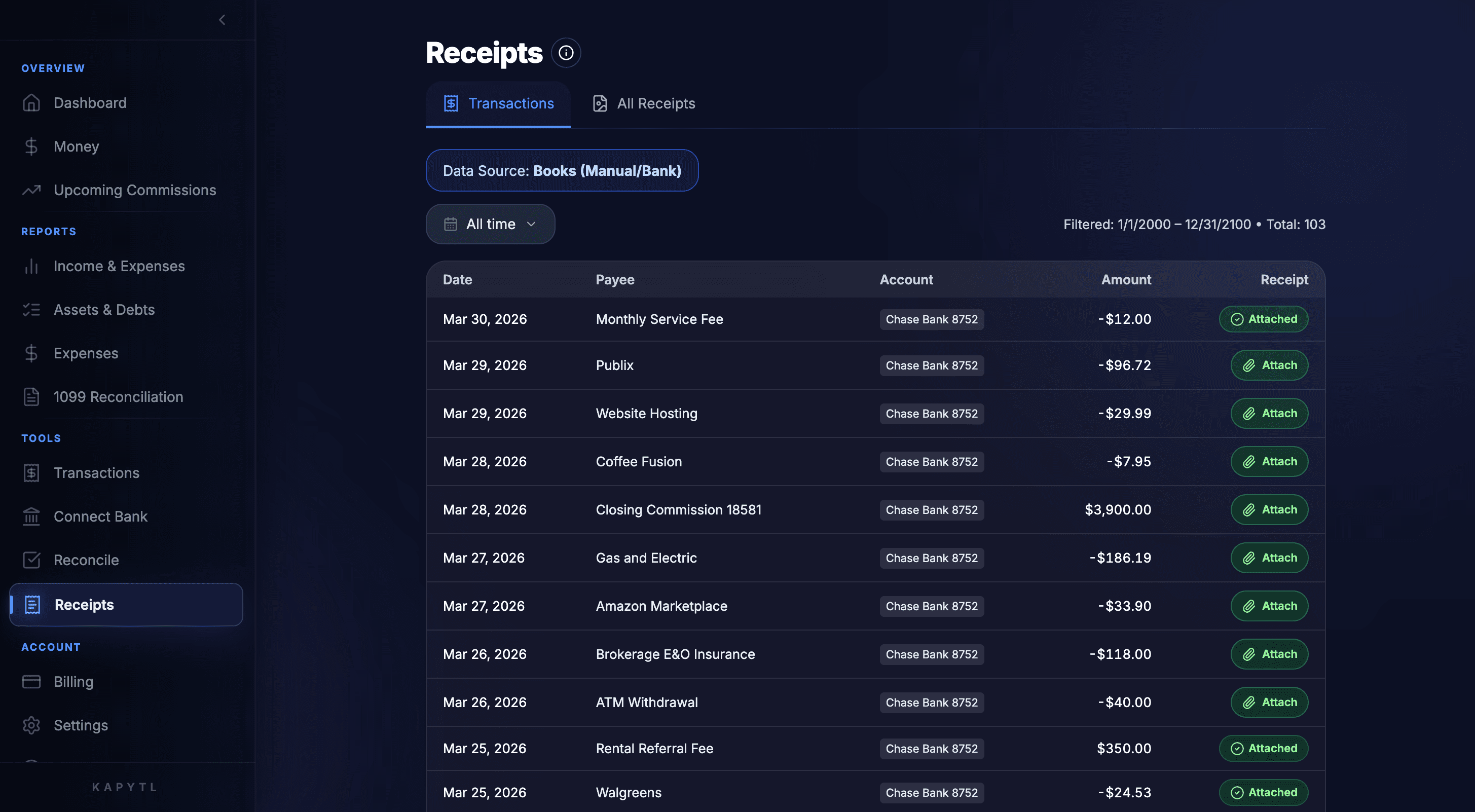
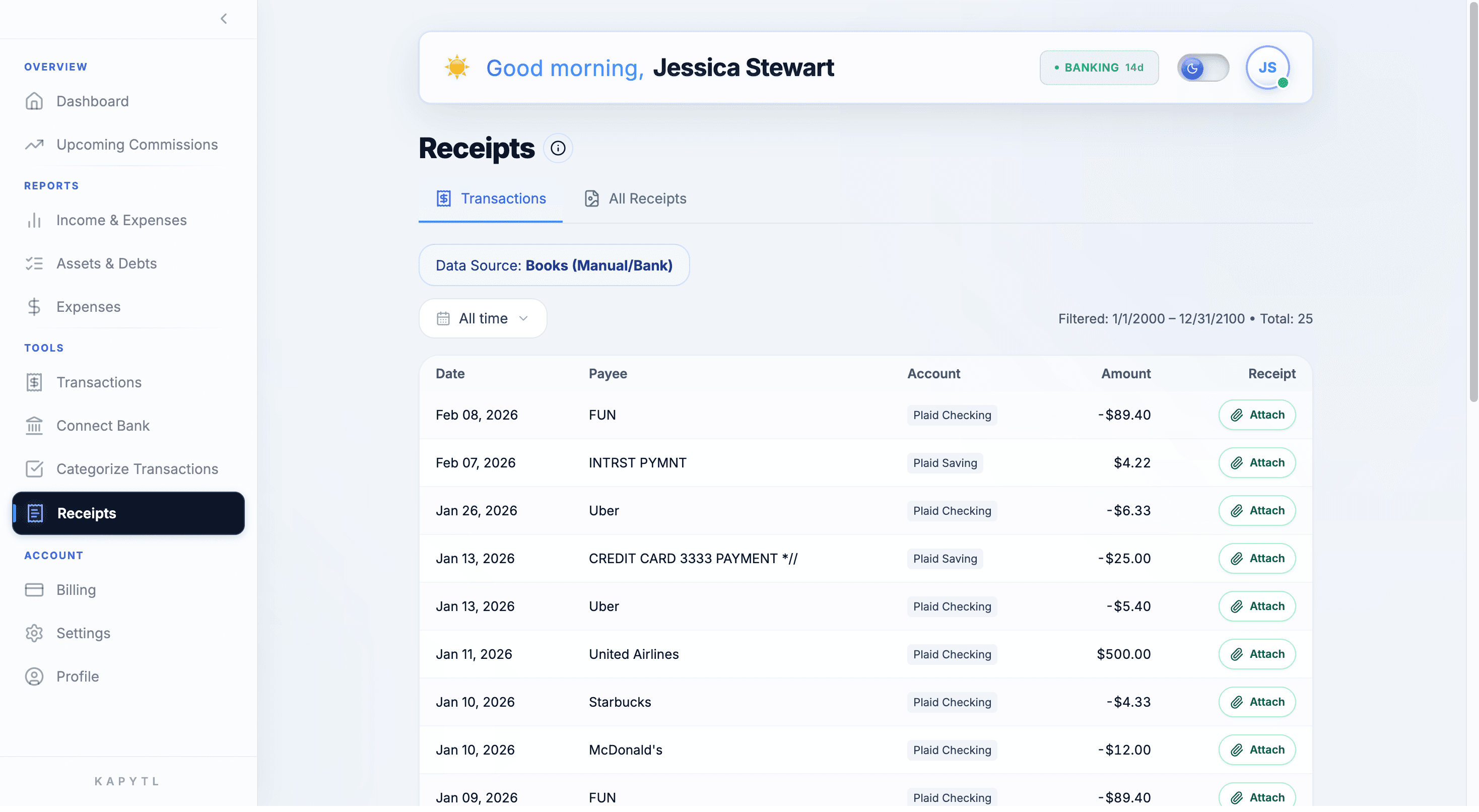
Every receipt Kapytl ingests is matched to the bank transaction it belongs to. The Attached badge tells you which deductions have backup, and which still need a receipt, deal by deal.
- Auto-match by date, amount, and merchant.
- Attached and Unattached statuses tell you what is tax-ready and what is not.
- One tap to link, unlink, or re-assign a receipt to a different transaction.
One searchable library. Audit-ready in seconds.
Every receipt you have ever captured lives in one place, with vendor, date, amount, and link status. Pull a clean set for tax time, a write-off question, or an audit without opening a folder.
- Drag and drop PDFs, JPGs, or PNGs up to 10MB each.
- Filter by date, vendor, amount, or linked status.
- Export the full set or just a window with one click.
Frequently asked questions
PDFs, JPGs, PNGs, screenshots, and most email receipts. If a human can read it, Kapytl can pull the merchant, amount, and date from it.
Use the Kapytl mobile experience to snap from your phone, or simply forward the email. Either way the receipt lands in your library within seconds.
Every captured field is editable. Correct it once and Kapytl remembers, so similar receipts from the same vendor get sharper over time.
Indefinitely. Your receipt library stays in Kapytl as long as your account is active, so you always have backup for tax filings and audits.
Yes. Exports for tax time include direct links to each receipt alongside the matched transaction, so your CPA has paper backup for every line.
Stop losing deductions to lost receipts.
Free to start. No shoebox. No spreadsheet rescue projects.